Docs
WhatsApp voice & video calls
The WhatsApp call features enable users and agents to initiate and receive voice or video calls directly from the chat interface and admin area.
 Enable Whatsapp Call
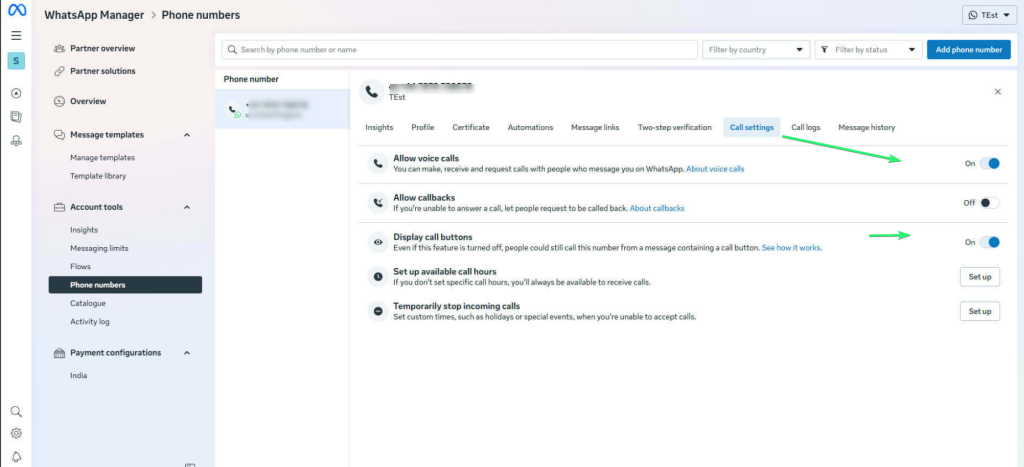
WhatsApp calls are enabled by default for all WhatsApp numbers integrated with CHAT App. You can also enable or disable the WhatsApp calling feature from the WhatsApp Manager. To do so, go to WhatsApp Manager, navigate to Left menu > Settings > More system settings, then open Accounts > WhatsApp accounts > Settings and click WhatsApp Manager. From there, open the settings panel of your phone number and toggle the Voice and Video Calls option.
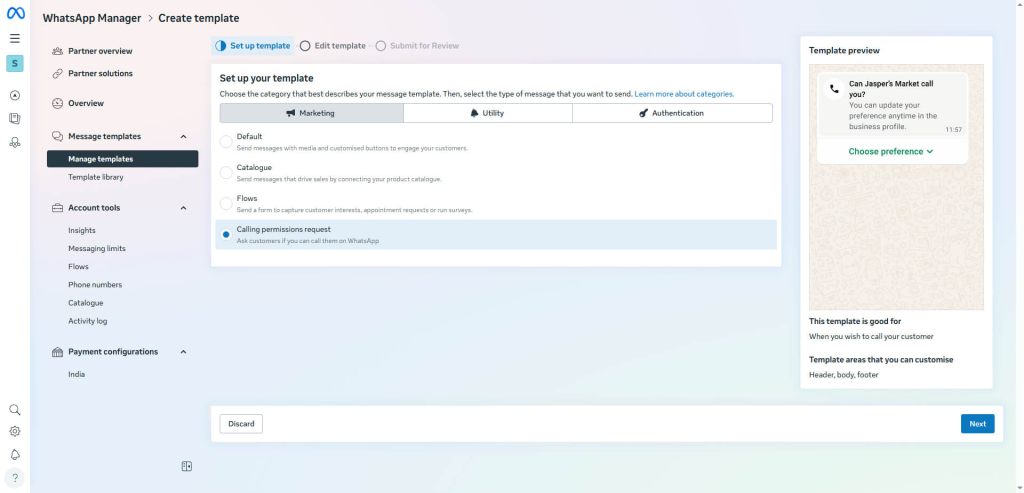 Image 5
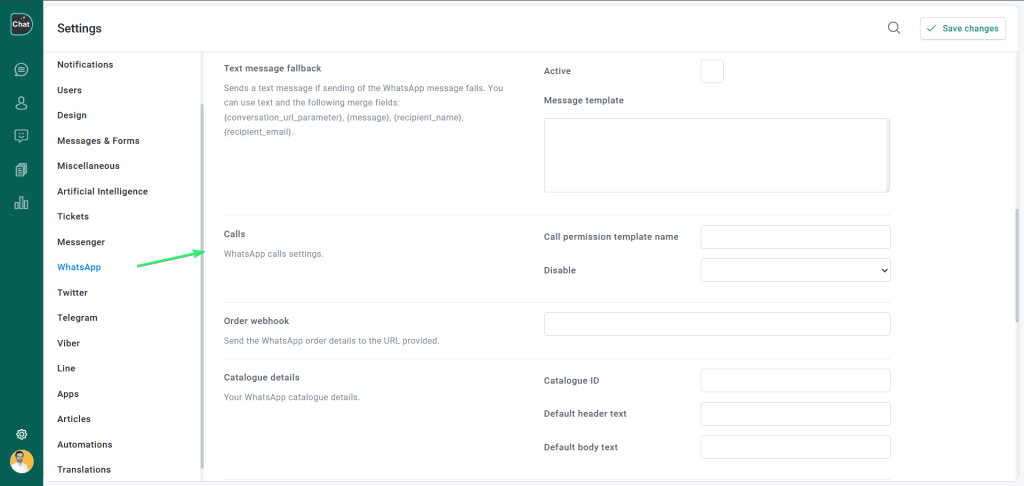
To initiate a WhatsApp call from the admin area, open a user profile and click the phone or video icon at the top right corner. You have to create a calling permissions request template from WhatsApp Manager > Message templates. As template type choose Calling permissions request. Enter the template ID in Settings > WhatsApp > Calls > Call permission template ID.
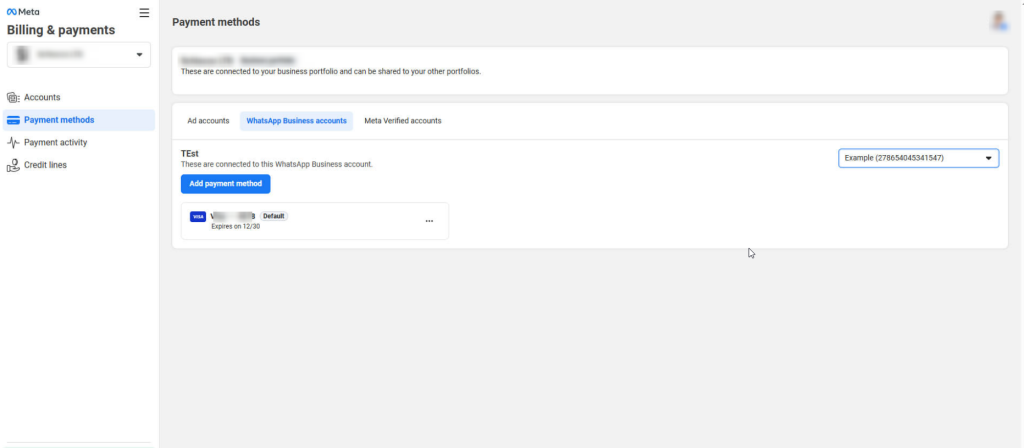
You must also add a valid payment method to your Business Portfolio before you can send the template.